Pick a film from your IMDb watchlist
Choose between films you've already saved on IMDb. Bring your watchlist to CINECLUB, keep the films you'd watch tonight, and let the wheel or film strip pick one.
You can use the free picker without creating a CINECLUB account or club.
Download your IMDb watchlist
- Open your IMDb watchlist in your browser and sign in.
- Choose Export at the top right of the list. Download the export when it is ready.
- Return to CINECLUB's movie picker and open Import films. Choose IMDb and Watchlist.
- Press Choose downloaded file and choose the file from IMDb. You can select several film-list downloads together.
Import rated films, lists or check-ins
Choose Rated films to open your IMDb ratings. Choose Your lists for a custom film list, or Check-ins to find Your Check-ins. Export that collection, then select its download here. CINECLUB reads the film titles and years, so an export of people is not a film list.
IMDb exports may contain television titles as well as films. Unmatched titles can be used as your own choices, but CINECLUB's film search and streaming checks are for films.
Choose films, then pick
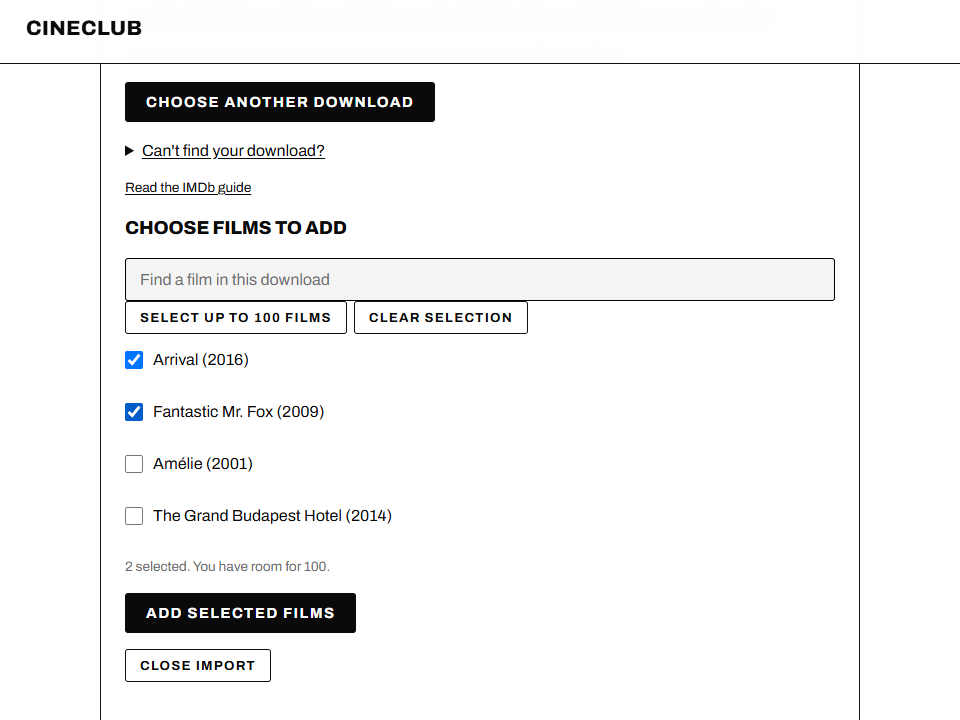
Preview your films and tick the ones you'd watch. You can search within the download, select up to the space left in your shortlist, or choose films one at a time. A pick holds up to 100 films. Repeated titles with the same release year are offered once.
Press Add selected films. CINECLUB checks film details after you confirm, then adds your choices. If a film can't be matched confidently, its title stays usable without artwork or streaming information.
Choose the wheel or film strip, then Pick a film. Each film in the eligible shortlist has an equal chance. If you choose streaming services and a country, the pick includes only confirmed matches. Choose Any service to include titles whose availability couldn't be checked.
Where does the download go?
On iPhone or iPad, look in Files, then Downloads under iCloud Drive or On My iPhone. On Android, look in Files, then Downloads. On a computer, open your Downloads folder. Choose the newest export, rather than a screenshot or a saved web page.
Can I use this with my film club?
Yes. In your CINECLUB club, open Films, then Add a film and Import films. The same download guide lets you choose films for the shared list. Your club keeps its turn order, watch-by dates, sealed ratings and reviews together.
What gets imported?
Film choices, not your old scores, reviews or watched dates. The export is read on your device; the complete file is not uploaded. Only confirmed film choices are used for film-data lookups. The public picker's shortlist lasts for this browser tab and clears when you reload or leave.
Read the privacy details or learn how to start a film club.
This guide covers CINECLUB's import feature. CINECLUB is independent of IMDb. Read IMDb's Watchlist help for its export options.
Also use Letterboxd? Read the Letterboxd watchlist guide.